|
| Ensign Symphony & Chorus with Nathan Pacheco |
And then COVID crashed the party...

...And cancelled our concert with just a week's notice. Originally scheduled for March 7th, pushed to June 12, then cancelled completely. Ugg.

This ensemble is about 80 singers and 40-50 symphony players and we perform at Benaroya Hall in Seattle, which seats upwards of 2000 people. So this was not a small decision.
Starting around March 15, our director Steve Danielson reached out to
me and a few other people with audio/video experience to discuss how to quickly
put together a virtual choir video. Several folks in our group had experience with Eric Whitaker's virtual choirs and wanted to a similar performance experience for our group. No one else seemed to have much audio
editing experience so I stepped up.
Here's the short version...
The song: We picked a public domain song that we were
already planning to perform in our recently cancelled concert: Hallelujah from "Christ on the Mount of Olives" by Beethoven. This minimized prep time because we had already spent weeks rehearsing this number in-person before the lock down happened.
The rehearsal track: Our conductor created a MIDI track of
the song and filmed himself directing to it in front of a green screen. We
added a click track and put out the video for everyone to use for creating
their video.
Creating individual videos: We sent out instructions for all the
performers (what to wear, how to stand, how to sing, say your name/part at the
beginning, how to play the video on one device while recording with another,
etc). Initial deadline was 2 weeks to record but we ended up extending another
week. We After some begging/pleading/bribery we had enough coverage from all the parts to start editing.
Submitting tracks: I shared an editable link to a OneDrive folder and everyone submitted their
video to their corresponding section folder. Fortunately I had a lot of online drive space available.
Audio Editing: I used free tools to strip the audio out of
the video files (FFMPEG) and then edit/mix it all together (Audacity). After
some bumps and false starts I mixed the two sections, the sopranos and altos.
As I started mixing the basses I reached out to a friend who does audio
engineering professionally for advice on how to do the final mix and introduce
live performance effects like reverb and stereo panning. Since he all of a
sudden had a lot of time on his hands he volunteered to help. He mixed the tenors
and then performed the final mix himself, after I finished mixing the symphony.
Video Editing: one of our sopranos also does a lot of video
editing so she stepped up to do the video on Adobe Premiere. She took my lead
of creating videos by section, making it look almost like a Zoom/Teams video
but on a stage. She added some b-roll from some shots we took at a concert last
year and polished it up nicely.
YouTube premier: The end result was published to YouTube to premier the next night at 7pm. Before the end of
the day we had a copyright claim against the video (which we immediately
disputed) but it only prohibited monetization so nothing was delayed. We had
nearly 400 viewers of the premier, which was more than I anticipated. Now over 2700 views.
And now the longer version….
Who are we? Ensign
Symphony and Chorus has been around for nearly 12 years in the Seattle
area. It is an audition-choir/orchestra with some of the best singers/players I have ever worked with, primarily made up of members of the
Church of Jesus Christ of Latter-day Saints (although anyone can join us). I
joined the choir back in October 2018. It was really weird to sing in a choir
with an orchestra because I’m usually on the orchestra side of that equation
(playing cello or bass). It has been an amazing experience to perform in
Benaroya Hall in Seattle in front of 1500+ people 4 times a year.
The idea: In late February our conductor (Steve
Danielson) was musing about doing a virtual choir similar to one he
participated in a few years earlier (Erik Whitacre’s Lux
Aurumque) but on a tighter budget. When the lock-down hit and our concert
was cancelled these musings turned into an actual project.
Proof of Concept: As Steve searched for a song, my wife and I sat down
and talked about how to pull this off with limited resources and everyone at
home. Since my wife used to work as a TV producer/editor she gave us lots of
practical production advice. Using my wife, son, and myself as guinea pigs, we
spent a Sunday afternoon doing a short/easy 3-part virtual choir as a
proof-of-concept using a well-known church hymn ("I Need Thee Every Hour"). The final video was really bad so I will not bore you with the results (We didn't exactly practice, that wasn't the point). This proved that my processes for shooting and editing could
work at a small scale but we had no idea what to expect as we ramped it up. to over 100 people.
The song: This one garnered a lot of discussion. What about
a pop song? How about something from a recent concert? Can we do one of the
show tunes we were prepping for our March concert? ("One Day More" from Les Miz
was a favorite here) In the end we picked Hallelujah by Beethoven (from the "Christ on the Mount of Olives" oratorio), which was
also in our March concert repertoire. This dodged the copyright issue
completely since we chose a song written in the early 1800s and from a score
printed circa 1890. It didn't stop Sony Classical from flagging it for copyright infringement but that's a story for another day.
The conductor track: Steve recorded his conductor video in
front of a green screen wearing his concert tux to give the video the
performance feel. For audio he put together a MIDI audio click track for all
the orchestra and choral parts. We added a tone at the beginning to make it
easier to sync up the audio/video later. We also layered some text to tell
people when to say their name/part, when to sing, etc. We asked that everyone have their headphones unplugged until they heard the sync tone, then plug them in for the remainder of the video.
Instructions website: This included links to the sheet
music, and instructions for practice tracks (created months earlier for the
cancelled concert), wardrobe, video background, recording location (a quiet,
well-lit location), how to record the video, and how to submit the video. Deadline for submissions was 2 weeks.
Making videos: Wow, this took a while. I spent far more time
ironing the sheet for my backdrop than I did actually making my video. For me
personally I did about 20 takes to get it right. This was right in the middle
of the range for most of the folks in our group (8-40 takes). After 2 weeks
only 3 of the singers had submitted videos so we extended the deadline another
week. Final count on videos was 58 singers and 23 instruments. We were a little
light on tenors so I asked one of the tenors to duplicate his track with
different voicing so we could get more depth in that section and ended up using
4 of his tracks. The only instrument we were missing was the timpani, which our
conductor created using a MIDI synth.
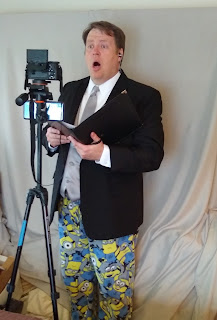
Does everyone else make weird faces when they sing?
Apparently I do…
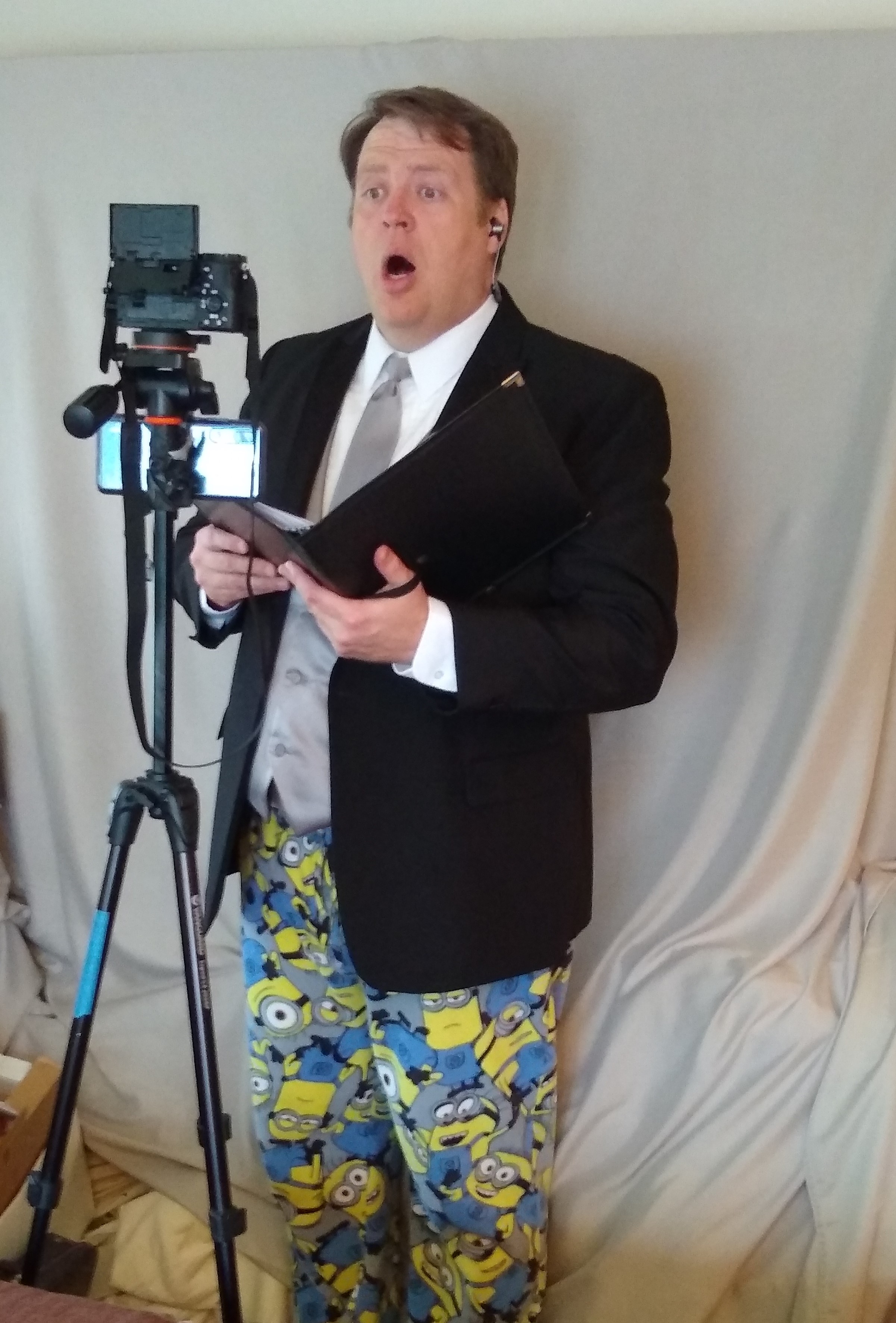
The sound editing process…
This was where I spent the bulk
of my time.
The editing workflow: As soon as videos started trickling in
I began playing around with Audacity trying to come up with a good work flow
for mixing the audio the choral parts. In the end it went something like this-
- Using FFMEG strip out
the audio from the video into a high-quality WAV file. With so many
submissions coming in I actually scripted this in PowerShell.
- Split the submissions up
into the choral parts (SATB) and save different Audacity project files for
each one.
- Starting with the
conductor MIDI/click track as the base, add the audio tracks one by one,
adjusting timing as necessary to make everything line up. Level volume
across all parts to get a good balance. This same process was used on the
choral and instrument parts.
- With the finalized
sections mix SATB together with the symphony and balance the volume
The False Start: As parts trickled in, I began
the intake process immediately and worked on adjusting timing. After many hours
of editing (Sopranos were pretty much finished and I was halfway through editing
22 altos) I found I was using Audacity incorrectly to make timing changes (simply selecting sections of audio and using cut/paste to move them to the right place). This introduced digital artifacts into the output files (audible clicks and pops). A quick search of the interwebs/YouTube for
Audacity tutorials pointed out that this was a BIG no-no. So I started over and
learned the RIGHT way to split a track into clips to move things around without introducing digital noise.
Asking for help: Now, using the right process, I found myself
running very short on time. I reached out to a friend (James) who does audio
engineering freelance work for video game and movie productions. His work had
recently dried up a bit so he graciously gave me hours of free advice and then
volunteered to help with the mix. I gave him the entire tenor section and then
he did the final mix as well. My wife was not terribly pleased that I was
spending most nights working on this project for the better part of 2 weeks
plus my day job.
The final mix: For the final mix James used Reaper DAW and
added some cathedral reverb to make it sound like we were in a concert hall. We
played around with volume levels a bit (cleenfeed.net is an AMAZING
high-quality streaming solution for conferencing) and eventually rendered the
final mix with a week to spare (May 15th 2020 was the premier date we
announced online).
The video production: our video editor used Adobe Premiere
to follow a very similar process to what I did with the audio-
- Create a single video
for each section with the singers/players arranged to look like they are
in a Zoom call.
- With the different
videos, composite them together onto a single screen around the conductor.
- Zoom-in and pan around
each section as the vocals change in the different parts.
The big surprise: We kept a big surprise from the chorus
and orchestra during this entire process: 2 of our guest performers from past
concerts would be joining us with violin parts. Jenny
Oaks Baker and Jennifer
Thomas submitted 1st violin and 2nd violin parts,
respectively. We featured them in the video in prominent places.
The Big Premier: We premiered on May 15th at 7pm Seattle time with
just over 300 watching live. Wow, what a relief to finally reach release! My
biggest surprise was how well the entire thing turned in the end since we used
primarily cell phone cameras.
Some Lessons learned
- When recording from home, the ENTIRE HOUSE must be quiet. Lots of submissions had background noise (i.e. turn off your furnace/AC if possible)
- The click track turned out to be very important to most performers, especially the orchestra. It helped to balance the audio. Some people said the click track was unusable, some said it was invaluable.
- Create a voice track for each section and layer it on the conductor video so people can sing along, hit the right pitch, and know when to CUT OFF. I spent HOURS and HOURS retiming vocal tracks so everyone came-in and cut-off at the right time. This was by far my biggest time-suck.
- Give more guidelines for phone placement to create the right shot and not overwhelm the microphone (some sopranos were FAR too close). Also being too close to the mic made page turns very obvious in the audio. Even with the various problems we encountered, I only had to ask 1 soprano to re-shoot her video with her mic farther away (she is a very strong singer).
- The beep at the beginning was not very valuable: some phones were pausing for up to 2 seconds when the headphones connected, and even when that didn't happen not everyone did their entrances on time (see #3).
There were some funny things heard in the background…
- Lots of furnace/AC fans
- A passing freight train
- Cars passing outside
- Someone doing dishes (clinking of dishes)
- Kids fighting with each
other followed by a parent telling them to stop
- A ticking clock
Overall this was an AMAZING experience. I had never done audio editing before and this was quite an enjoyable experience. I have no done quite a bit more audio/video editing for the choir, which has been a very fullfilling experience.
And now, almost 3 years later, I am working on a remaster of the project using Reaper DAW. It didn't cost that much to license and has quite a few features that make it far superior to Audacity. This will (hopefully) be done in time for Easter 2023. And I do plan to do most of my editing on my Twitch channel.
}B^)