Friday, July 10, 2026

My AI Journey

Last summer my long-held position at a large tech company ended due to layoffs and budget cuts related to AI expenditures. That should sound familiar to a LOT of you, unfortunately. For me it was both a blessing and a curse.

The Blessing

I had been dealing with some long-running chronic health issues and was making NO progress. I was actually thinking about taking disability leave to focus more on my health when the layoff notification came out of the blue. I was shocked, a bit, but not rocked: it was unexpected but also a bit of a relief. Work stress was suddenly GONE. Family and everyday life stress were still a thing but that stress was much more manageable. 

The layoff came with a nice severance package, which is pretty standard for the tech world these days. Since I had been at my job for a LONG time, wow, did it help. Then came unemployment compensation, which added another layer on top. My wife and I have been very conservative with our money over the years, which started to pay big dividends-

1. Our house is paid off: no mortgage/rent payment, just property taxes. Which are actually higher now per month than our original mortgage but that's another story.

2. NO DEBT: this is HUGE. We have zero debt. None. Nada. Cars are paid for. House is paid off. No college debt. 

That leaves us with very low overhead that easily lives within our savings envelope. Our biggest expense each month is healthcare (shocking, right?) but it is still sustainable until I find a new job. 

The Curse

Most of my daily life was defined by my job. Now that was gone and I had nothing to replace it, which worked great for the first 6 months as I recovered my health, but became a worry around last January. Lunches out with former coworkers only get you so far. I can't state how big of a worry this became. What would I do? What will be my daily purpose? 

The AI Turnaround

One day, last fall, a friend asked me to lunch to talk about my job search. He meant well and his advice was sound: don't wait. Keep looking, put yourself out there, and do something to keep your skills fresh and relevant. I tried to follow his advice but it just didn't really gel for a few months. 

Then, a few months later, that same friend asked me if I wanted to join a group of people from our church to learn about AI, play around with it, and be kind of an unemployed support group. I absolutely jumped at the chance. We, the 6 of us, started meeting every Friday morning almost immediately. 

Each week we spent an hour talking about how to use AI in our lives and how we might have used it in our previous roles. We were challenged to find a "passion project" or a way to use AI in a hobby or other way that we might put on a resume. The second hour was spent with a guest speaker, typically someone that is a friend/coworker of someone in the group, that works with AI either as their primary role or as a big part of their job: think AI engineer versus an Engineer, Program Manager, or People Manager who use AI extensively in their daily work. 

It really woke me up. I started using Claude and ChatGPT to complete a long list of AI competency courses. I used it to brainstorm several project ideas and was coming up a little short. After quite a few fits and starts, my passion project came into focus and I named it Fuelytics

Fuelytics

It all started with my father-in-law. Back in the 70s, during the OPEC oil embargo, he, along with a lot of other people, started logging all of his fuel purchases to keep track of costs and fuel efficiency. It was clunky (just paper and pencil) but it worked. He got my wife into it and then she got me into it after we married. The idea is simple: every time you purchase gas, log the date, odometer reading, cost per gallon, gallons purchase, and total price. And maybe add in an oil change or other important maintenance task along the way. 

In business school I used this data in my statistics class to show that, to a fairly certain degree, fuel prices definitely affect how I drive, how we purchase fuel, and the fuel efficiency of our cars. The statistical analysis was the easy part.

THE PROBLEM

The hard part was getting all of that data into Excel. This turned into HOURS of tedious work manually typing all that data into a spreadsheet. If I compare the ratio of time spent on the stats analysis versus the time doing manual data entry, it's like 10 to 1. If only there was an app that could automate this process!?!

I ruminated on this problem for over a decade. Yes, I could write an app, but I didn't have the time to write the code or, more importantly, the time to dedicate to learning how to write the code to be able to make a workable app. So the idea sat. 

Fast-forward to today, where I'm thinking over what kind of project to do. Eventually I came around to all of this vehicle fuel data from back in the day. What might I do with it? Could I do something fun with the static dataset and answer some fun questions? Yes, but that's essentially what I did back in college and didn't really spark my interest.

What did spark my interest was an old question: what about that app idea? Could I create an app to automate the hard part of this process? So I did some research: I combed the Apple App store and Google Play store for fuel trackers. There are quite a few but all of them rely on manual data entry. Still not as easy as I would like. I would rather just point my phone at the pump, tap a button, point it at my odometer, tap a button, and be done. 

And that's exactly what I built, but let's not get ahead of ourselves.

The Solution

I started taking pictures of gas pumps and feeding them into Claude to see if I could prompt it the right way to make it find and then output only the data I wanted. Same with the odometer, which turned out to be far easier. The results were quick and decisive: YES! Using Claude I could turn 2 pictures into the data I wanted plus a little extra: using the location data I was able to triangulate the exact gas station (or get darn close to it).  With the photo of the pump itself I could determine the company name of the gas station and, along with the location data, give a confident guess about where the fill-up occurred. With the vehicle instrument cluster photo I could approximate the year, make, and model of the car to at about a 2-6 year range, which works in my case to verify that you are indeed logging data to the right car.

So I paid for a Claude subscription and got to work with Claude Code. I picked up a "pro" subscription to start, since this is all on a very tight budget. I'm unemployed, remember?

I started with an extensive planning process. Headlines in the news about vibe coded apps causing havoc and exposing sensitive data to everyone really made me think about setting up clear guardrails and protections first, and then write the code. Working with Claude Code, I defined the data model, security policies, privacy policies, and operational model. Where would the data live? How do we secure it from the beginning and keep it safe, even though this is just vehicle fuel purchases we are talking about? I documented everything and used that as the basis for the development effort. 

Within a couple of weeks I had setup a wire-frame website. The idea here was simple: create a working authentication model, secure website, initial data structure, simple user and data flow, and tie it all together. This turned out to be the hard part but it worked. I even signed up for a ChatGPT Codex account and had it do a security review of what I did with Claude Code. Then I added graphic design using Claude Designer and enough features to implement the basic version of the website: www.fuelytics.app

That first version was simple and basic: create an account, create vehicle definitions, add fill-ups manually, and see a basic report of your activity. I had a few friends try it out just to see if it worked as well as I thought it did. Feedback was quick and straightforward: you just copied the manual fill-up apps. Where's the value?

And that was the next step: add the automation. Over the coming week I iterated on this idea with Claude by taking picture after picture, visiting gas station after gas station, tweaking prompts, and trying not to get frustrated. After a lot of trial and error we nailed it and the website went live: a fully working and complete web app that could invoke your phone's camera using the browser API, capture photos of the gas pump and vehicle instrument cluster, send it off to Claude for analysis, and return the resulting data to the user for verification. After the user verifies the data it is logged under the user account. 


It even worked on mobile browsers-


And then came more feedback: what if a family wants to use this? Can you allow multiple people to see and add data to multiple cars at the same time (i.e. emulate a family with more than 1 driver and more than 1 car)? Turns out this was as simple as tweaking the data structure and adding a few more features. That sounds much harder than it actually was. 

But could we turn it into a mobile app? 

The Android App

From the very beginning, I was clear in my intentions to my AI PM that I wanted to make this a mobile app for both Android and iPhone. That led to some early design decisions that worked well in my favor: React.js is an amazingly flexible platform and ports very well when moving to a mobile native app. All of the functions and data flows were created with phones in mind. 

The first Android builds came quickly. The testing and bug fixing took a lot longer. Once again, I was driving around to different gas stations doing "fill-ups" on my test accounts: drive to a gas station, use the app to capture the data from the last pump user (which is conveniently still on the pump when you leave and a new person, aka me, drives up), then capture the odometer of the car (even though I've driven a couple of miles). 

And just to make the gas station owners happy I frequently went inside and bought a soda or snacks. I'm sure they were puzzled with my behavior of pointing my phone at the pump and then driving away without making a purchase. 


The process worked well enough that I was able to eventually close enough bugs, do another code review, and close more bugs, to finalize the Android build and submit it to the Google Play Store. It will be published in the next couple of weeks. 


Lessons Learned

This entire process was started on April 24, 2026, so we are 2 months and 2 weeks as of the day of this writing. Rapid prototyping, code writing, code review, and bug fixes can be done very rapidly with modern AI-assisted coding tools. So this whole thing has really satisfied my ADHD urges. 

The hardest part was the idea. Once I had the idea the rest just kind of flowed: I have extensive experience with IT operations and data protection, which I put work on this project. It really helped to set the groundwork that is over-secure for what it actually does but runs efficiently enough for people to trust it. 

Local AI on phones just isn't there yet. My first thought was to have the photo analyzed on-device. Google ML Kit and Apple Vision failed spectacularly: they were designed for basic OCR tasks like capturing text from documents or well-formed tables. Gas pumps are very messy and vary a lot from one company to another. How bad? Like 3-5% accuracy bad. Maybe someday they will get there but until then it's Cloud AI.

When it comes to AI, BE SPECIFIC. Just like any other code you write, it will do exactly what you tell it to do. If you don't give it enough detail or write something wrong, things go off the rails. With old school coding you just get weird results or your app/machine crashes. With AI you get hallucinations or it simply makes assumptions and doesn't tell you.  My first wireframe prototype assumed I would be the "admin" who defined vehicles, "owner" users would be adding fillups to those vehicles, and "contributor" users would be read-only. When I discovered this mistake I went back and looked at our design discussion and realized that I had not been clear enough in my expectations. What resulted is the group-driven model we have now: multiple users can share a group of cars and add data. User roles are defined with "Owners" (define vehicles, invite other users to share their vehicles, and add fill-ups), "Contributors" (add fill-ups), and "Viewers" (read-only users). 

What's Next

Since that first website release I have added Google and Apple sign-in, bulk data import of historical data, ability to add "events" such as an oil change or other maintenance event, and a few other minor tweaks like an app support form and navigational aids. 

The next steps may include another go at on-device analysis (if Apple and Google release better local phone models), the ability to toggle between metric and imperial metrics (it's all US imperial for now), and even event reminders based on your maintenance events to remind about upcoming oil changes or regular scheduled maintenance. 

The biggest thing I may add is a way to import all those hand-written pages directly into the app. That's years and years of historical vehicle data that I could finally start using. Maybe, if the handwriting recognition works the way I hope it does.

Wait... Where's the iPhone App!?!

Yes, iPhone is the elephant in the room. For all of my career I have been a Windows user. I have always admired Mac for their UI, stability, and ease of use but never really pulled the trigger on day-to-day use. And I've never been an iPhone user. Yes, those are just excuses. But the real reason is that I simply do not have ready access to an iPhone for testing purposes. Testing, debugging, and code iterations require frequent physical access to a device, especially with an app like mine that requires a camera. If it didn't require the camera I could probably get away with testing on virtual or cloud phones but that simply isn't an option. And buying an iPhone just for this project would set me back $350-500 which I can't afford right now (unemployed, remember?). So if any of you want to donate an iPhone (13 or newer) feel free to speak up. 

And that's it. I am now a real app owner/operator running solo, for better or for worse. Hopefully this will reach a calm stead-state before a find a new job or this could get hairy quickly. 

}B^)

Fuelytics App Logo


Sunday, January 29, 2023

My COVID Virtual Choir Experience

Back in the Fall of 2018 I joined a wonderful group of musicians called the Ensign Symphony and Chorus. I had never sung with a choir before. At first it was a little weird to be singing instead of playing in the symphony but it has turned out to be an incredibly fulfilling experience. 
Ensign Symphony & Chorus with Nathan Pacheco


And then COVID crashed the party...

...And cancelled our concert with just a week's notice. Originally scheduled for March 7th, pushed to June 12, then cancelled completely. Ugg.


This ensemble is about 80 singers and 40-50 symphony players and we perform at Benaroya Hall in Seattle, which seats upwards of 2000 people. So this was not a small decision. 

Starting around March 15, our director Steve Danielson reached out to me and a few other people with audio/video experience to discuss how to quickly put together a virtual choir video. Several folks in our group had experience with Eric Whitaker's virtual choirs and wanted to a similar performance experience for our group. No one else seemed to have much audio editing experience so I stepped up. 

Here's the short version...

The song: We picked a public domain song that we were already planning to perform in our recently cancelled concert: Hallelujah from "Christ on the Mount of Olives" by Beethoven. This minimized prep time because we had already spent weeks rehearsing this number in-person before the lock down happened.

The rehearsal track: Our conductor created a MIDI track of the song and filmed himself directing to it in front of a green screen. We added a click track and put out the video for everyone to use for creating their video.

Creating individual videos: We sent out instructions for all the performers (what to wear, how to stand, how to sing, say your name/part at the beginning, how to play the video on one device while recording with another, etc). Initial deadline was 2 weeks to record but we ended up extending another week. We After some begging/pleading/bribery we had enough coverage from all the parts to start editing.

Submitting tracks: I shared an editable link to a OneDrive folder and everyone submitted their video to their corresponding section folder. Fortunately I had a lot of online drive space available. 

Audio Editing: I used free tools to strip the audio out of the video files (FFMPEG) and then edit/mix it all together (Audacity). After some bumps and false starts I mixed the two sections, the sopranos and altos. As I started mixing the basses I reached out to a friend who does audio engineering professionally for advice on how to do the final mix and introduce live performance effects like reverb and stereo panning. Since he all of a sudden had a lot of time on his hands he volunteered to help. He mixed the tenors and then performed the final mix himself, after I finished mixing the symphony.

Video Editing: one of our sopranos also does a lot of video editing so she stepped up to do the video on Adobe Premiere. She took my lead of creating videos by section, making it look almost like a Zoom/Teams video but on a stage. She added some b-roll from some shots we took at a concert last year and polished it up nicely.

YouTube premier: The end result was published to YouTube to premier the next night at 7pm. Before the end of the day we had a copyright claim against the video (which we immediately disputed) but it only prohibited monetization so nothing was delayed. We had nearly 400 viewers of the premier, which was more than I anticipated. Now over 2700 views.


And now the longer version….

Who are we? Ensign Symphony and Chorus has been around for nearly 12 years in the Seattle area. It is an audition-choir/orchestra with some of the best singers/players I have ever worked with, primarily made up of members of the Church of Jesus Christ of Latter-day Saints (although anyone can join us). I joined the choir back in October 2018. It was really weird to sing in a choir with an orchestra because I’m usually on the orchestra side of that equation (playing cello or bass). It has been an amazing experience to perform in Benaroya Hall in Seattle in front of 1500+ people 4 times a year.

The idea: In late February our conductor (Steve Danielson) was musing about doing a virtual choir similar to one he participated in a few years earlier (Erik Whitacre’s Lux Aurumque) but on a tighter budget. When the lock-down hit and our concert was cancelled these musings turned into an actual project.

Proof of Concept: As Steve searched for a song, my wife and I sat down and talked about how to pull this off with limited resources and everyone at home. Since my wife used to work as a TV producer/editor she gave us lots of practical production advice. Using my wife, son, and myself as guinea pigs, we spent a Sunday afternoon doing a short/easy 3-part virtual choir as a proof-of-concept using a well-known church hymn ("I Need Thee Every Hour"). The final video was really bad so I will not bore you with the results (We didn't exactly practice, that wasn't the point). This proved that my processes for shooting and editing could work at a small scale but we had no idea what to expect as we ramped it up. to over 100 people.

The song: This one garnered a lot of discussion. What about a pop song? How about something from a recent concert? Can we do one of the show tunes we were prepping for our March concert? ("One Day More" from Les Miz was a favorite here) In the end we picked Hallelujah by Beethoven (from the "Christ on the Mount of Olives" oratorio), which was also in our March concert repertoire. This dodged the copyright issue completely since we chose a song written in the early 1800s and from a score printed circa 1890. It didn't stop Sony Classical from flagging it for copyright infringement but that's a story for another day.

The conductor track: Steve recorded his conductor video in front of a green screen wearing his concert tux to give the video the performance feel. For audio he put together a MIDI audio click track for all the orchestra and choral parts. We added a tone at the beginning to make it easier to sync up the audio/video later. We also layered some text to tell people when to say their name/part, when to sing, etc. We asked that everyone have their headphones unplugged until they heard the sync tone, then plug them in for the remainder of the video.

Instructions website: This included links to the sheet music, and instructions for practice tracks (created months earlier for the cancelled concert), wardrobe, video background, recording location (a quiet, well-lit location), how to record the video, and how to submit the video. Deadline for submissions was 2 weeks.

Making videos: Wow, this took a while. I spent far more time ironing the sheet for my backdrop than I did actually making my video. For me personally I did about 20 takes to get it right. This was right in the middle of the range for most of the folks in our group (8-40 takes). After 2 weeks only 3 of the singers had submitted videos so we extended the deadline another week. Final count on videos was 58 singers and 23 instruments. We were a little light on tenors so I asked one of the tenors to duplicate his track with different voicing so we could get more depth in that section and ended up using 4 of his tracks. The only instrument we were missing was the timpani, which our conductor created using a MIDI synth.

Does everyone else make weird faces when they sing? Apparently I do…


The sound editing process… 

This was where I spent the bulk of my time.

The editing workflow: As soon as videos started trickling in I began playing around with Audacity trying to come up with a good work flow for mixing the audio the choral parts. In the end it went something like this-
  1. Using FFMEG strip out the audio from the video into a high-quality WAV file. With so many submissions coming in I actually scripted this in PowerShell.
  2. Split the submissions up into the choral parts (SATB) and save different Audacity project files for each one.
  3. Starting with the conductor MIDI/click track as the base, add the audio tracks one by one, adjusting timing as necessary to make everything line up. Level volume across all parts to get a good balance. This same process was used on the choral and instrument parts.
  4. With the finalized sections mix SATB together with the symphony and balance the volume

The False Start: As parts trickled in, I began the intake process immediately and worked on adjusting timing. After many hours of editing (Sopranos were pretty much finished and I was halfway through editing 22 altos) I found I was using Audacity incorrectly to make timing changes (simply selecting sections of audio and using cut/paste to move them to the right place). This introduced digital artifacts into the output files (audible clicks and pops). A quick search of the interwebs/YouTube for Audacity tutorials pointed out that this was a BIG no-no. So I started over and learned the RIGHT way to split a track into clips to move things around without introducing digital noise.

Asking for help: Now, using the right process, I found myself running very short on time. I reached out to a friend (James) who does audio engineering freelance work for video game and movie productions. His work had recently dried up a bit so he graciously gave me hours of free advice and then volunteered to help with the mix. I gave him the entire tenor section and then he did the final mix as well. My wife was not terribly pleased that I was spending most nights working on this project for the better part of 2 weeks plus my day job.

The final mix: For the final mix James used Reaper DAW and added some cathedral reverb to make it sound like we were in a concert hall. We played around with volume levels a bit (cleenfeed.net is an AMAZING high-quality streaming solution for conferencing) and eventually rendered the final mix with a week to spare (May 15th 2020 was the premier date we announced online).

The video production: our video editor used Adobe Premiere to follow a very similar process to what I did with the audio-
  1. Create a single video for each section with the singers/players arranged to look like they are in a Zoom call.  
  2. With the different videos, composite them together onto a single screen around the conductor.
  3. Zoom-in and pan around each section as the vocals change in the different parts.

The big surprise: We kept a big surprise from the chorus and orchestra during this entire process: 2 of our guest performers from past concerts would be joining us with violin parts. Jenny Oaks Baker and Jennifer Thomas submitted 1st violin and 2nd violin parts, respectively. We featured them in the video in prominent places.

The Big Premier: We premiered on May 15th at 7pm Seattle time with just over 300 watching live. Wow, what a relief to finally reach release! My biggest surprise was how well the entire thing turned in the end since we used primarily cell phone cameras.

Some Lessons learned
  1. When recording from home, the ENTIRE HOUSE must be quiet. Lots of submissions had background noise (i.e. turn off your furnace/AC if possible)
  2. The click track turned out to be very important to most performers, especially the orchestra. It helped to balance the audio. Some people said the click track was unusable, some said it was invaluable.
  3. Create a voice track for each section and layer it on the conductor video so people can sing along, hit the right pitch, and know when to CUT OFF. I spent HOURS and HOURS retiming vocal tracks so everyone came-in and cut-off at the right time. This was by far my biggest time-suck.
  4. Give more guidelines for phone placement to create the right shot and not overwhelm the microphone (some sopranos were FAR too close). Also being too close to the mic made page turns very obvious in the audio. Even with the various problems we encountered, I only had to ask 1 soprano to re-shoot her video with her mic farther away (she is a very strong singer).
  5. The beep at the beginning was not very valuable: some phones were pausing for up to 2 seconds when the headphones connected, and even when that didn't happen not everyone did their entrances on time (see #3).
There were some funny things heard in the background…
  1. Lots of furnace/AC fans
  2. A passing freight train
  3. Cars passing outside
  4. Someone doing dishes (clinking of dishes)
  5. Kids fighting with each other followed by a parent telling them to stop
  6. A ticking clock
Overall this was an AMAZING experience. I had never done audio editing before and this was quite an enjoyable experience. I have no done quite a bit more audio/video editing for the choir, which has been a very fullfilling experience. 

And now, almost 3 years later, I am working on a remaster of the project using Reaper DAW. It didn't cost that much to license and has quite a few features that make it far superior to Audacity. This will (hopefully) be done in time for Easter 2023. And I do plan to do most of my editing on my Twitch channel

}B^)


Wednesday, October 8, 2014

I used to like Weird Al... Now I LOVE Weird Al

Way back when I was just a little bitty boy living in a box under the stairs in the corner of the basement of the house half a block down the street from Jerry's Bait shop...
You know the place...

Actually, I never lived near a Jerry's Bait shop, but way back when I was a boy (I don't think anyone has EVER described me as "little bitty"), at the ripe age of 10, I was introduced to Weird Al, specifically the "Weird Al in 3D" album. I must have listened to that absolutely-100%-totally-legal cassette copy 27,000 times. I knew all the lyrics to all the songs. And I still do, in most cases.


Over the years I have purchased just about every album he has released. My friends and I spent countless hours learning to play his songs, singing them on Boy Scout adventures, and annoying the !@#$ out of our parents and siblings with fun phrases like, "Today we are teaching Poodles how to fly. Nope, not today!" And don't get me started about the multifaceted debates/arguments/fights we had regarding Dare to be Stupid and Albuquerque.

OK, I admit, I really like Weird Al.

And then, last week, I discovered I LOVED Weird Al. No, not that kind of love...

Time to 'splain Lucy...

I have a son with Asperger Syndrome. Life with him is never a dull moment. He is 10 years old now and, through the wonderful magic that is ABA, OT, and PT, he is beginning to live a semi-normal life compared to his normally-abled peers. Even so, there are things that he really struggles with that most people take for granted.

The most recent struggle involves sarcasm. According to Wikipedia, which is never wrong, sarcasm is defined thusly-
Sarcasm is "a sharp, bitter, or cutting expression or remark; a bitter gibe or taunt." Sarcasm may employ ambivalence, although sarcasm is not necessarily ironic." The distinctive quality of sarcasm is present in the spoken word and manifested chiefly by vocal inflections". The sarcastic content of a statement will be dependent upon the context in which it appears.
Most people with Aspergers really struggle with this. My son simply does not recognize the facial expressions, vocal tones, or contextual clues that most people use when employing sarcasm.

My problem: my family lives and breathes sarcasm. It comes out of us as normally as any other language. Our conversations are not only saturated with sarcasm, they are dripping with it. But when speaking with my son I have to be very literal.

As an example of this frustration, you have to look no farther than Dr. Sheldon Cooper-

And then one day my son heard a new song by Weird Al and became our grammar nazi...

He can quote to you each and every one of the grammar rules and examples in the song. And he does so DAILY. Like this gem...


And then, after quoting the line above, he asked me, "Dad, what's sarcasm?"

Oh boy, here we go.

Me: "Sarcasm is when people say something but they aren't being literal about it. Kind of like when people use idioms."
Boy #3: "Then what is Irony? Is that like sarcasm?"
Me: "No, that's when something happens to someone and it's ironic. Like when a policeman gets pulled over for speeding."

OK, I wasn't helping. So we turned to his current, most-favorite form of literature, the comic book, in particular Garfield the cat and Calvin and Hobbes. It just so happens that two of his favorite comic book characters are masters of the art of sarcasm. And, because they are his favorite, we have plenty of source material from which to study.

Examples like this...

Does Calvin really want his Dad to sue him?
Does Garfield know that donuts aren't healthy for him? Does he care?

The contextual clues are all there-
  1. Calvin looks bored (resting his head in his hand) and is looking away from him Dad in panel #3.
  2. Garfield has a huge grin on his face which signifies that he likes what is about to happen.
My son didn't pick up on these right away. We had to read well over 100 pages of comics, with him analyzing each one, before he started to notice the clues. Then his ABA therapist got into the act and started working sarcasm into his sessions, both using and recognizing it.  

In regular conversation he would quietly ask me, “That was sarcasm, wasn't it?” practicing incessantly until he had it mastered. I use the word “incessantly” because he really annoyed his brothers with it for a while. Now, two months later, he is starting to get it.
  1. He (somewhat) understands what sarcasm is and is not (i.e. compared/contrasted with irony and metaphor). 
  2. He now uses sarcasm daily, typically in a humorous way, as opposed to an insulting or tedious way.
  3. He tags every use of sarcasm with “that was sarcastic,” sung just like Weird Al. 
I cannot express how big an accomplishment this was for him. My wife and I cried about this when we realized what had happened. I’m sure he will continue to struggle with sarcasm in the future but for now he at least understands the concept and can use it and recognize it. 

I find myself going to the "Weird Al well" more and more these days. My oldest son was asking me about writing styles the other day (first person, third person, etc.) and wanted an example of "stream of consciousness" writing. I immediately pulled out "Trapped in the Drive-Thru" and "Albuquerque" by Weird Al. Now he gets it.

And now I find myself in the odd place of thanking Weird Al for "Word Crimes,"  profusely, I might add. The song that my kids sing at least once a day (also profusely).

Someday I’ll show him Nature Trail to Hell. That should scar him for life.


Tuesday, October 29, 2013

Best and Worst Use of Technology in Movies

I'm a nerd. I'm a geek. And I LOVE movies. This presents some interesting issues if you ever watch a movie with me: I CANNOT STAND the way technology is used and portrayed in movies, at least most of the time. Sometimes the writer/director/producer have no clue what they are doing with that technology. 

And therein lies the rub. Their use of technology is so baaaaaaad that it completely ruins the movie-watching experience for me: it's just annoying even though I usually end up liking the film.

At other times the technology makes it oh, so beautiful. 

I'm sure Neil deGrasse-Tyson feels the same way about how physics is portrayed in space. Oh, wait, he does, even when he actually likes the movie.

And Neil and I are not alone in this "fun". The geeks over at NASA watch the movie Armageddon to see who can find the most "impossibilities" in the movie. Apparently, the record is 168

And so here I present...

My Best and Worst Use of Tech in Movies


But first a warning and then a note.

WARNING: Movie plots and key scenes will be discussed. No complaining later about spoilers!

Note: The movie Hackerz will not be discussed or included in this list. In our house it is "the movie that shall not be named". It's right up there with Ishtar and Batman Forever. And The Red Baloon.

The Best


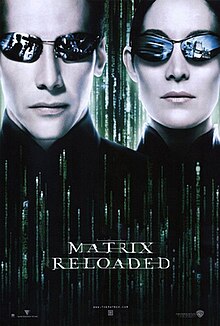
Matrix Reloaded (2003) - This one has to come first in my list because it marked an incredible "First" in movie history. In the movie there's this power plant where... oh, who cares? The movie wasn't that great. It served as a vehicle to get Neo into his epic battle with Elrond the Elf. And to teach us that French profanity sounds waaay cooler than English. But along the way Trinity does something incredible. She uses a real, unpatched SSH 1.0 buffer overrun vulnerability to hack into that power plant. She then changes the root password to Z1ON0101, and just like that, she is God on that system. When the movie came out in theaters you could use that hack to do some real damage. For the first time in history a fictional movie accurately portrayed a real hack.


Superman III (1983) - Before I go into just how cool the hack was in this movie, I do have to say that the rest of it is pure 1980s cheese. What was so cool about such a bad movie? Richard Pryor is a computer programmer who... OK, I laughed when I wrote that the first time. Richard Pryor... A nerd? Well, if he was he was one funny nerd. Anyway, he plays a software developer who writes a program that steals tenths and hundredths of cents and funnels them into his own account. Brilliant. And parodied countless times elsewhere. 


WarGames (1983) - A kid, with a cobbled-together computer, can connect into another computer a thousand miles away and use programs in a way someone didn't think about with possibly disastrous consequences? In the early-80's, playing off the Cold War fears, this was big time stuff but it wasn't far outside the realm of possibility. Modems were around, although they were incredibly slow and there really was no public internet. Phone phreaking was a real thing (until people stopped using fax machines and AOL). In 1986 I saw CompuServe for the first time and was floored. What David Lightman did in WarGames helped inspire me to pursue a career in computers. No joke.


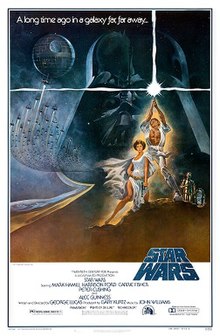
Star Wars Ep. IV (1977) - There is so much to say about this movie that I have to limit my remarks to one thing: R2D2, while inside the Death Star, teaches us an entire course on modern Information Security. That little droid can connect into a wall socket and advance the plot faster than any writer could, but I digress. He "talks" to the main Death Star computer and obtains all sorts of information (which he does again in Ep. V on Cloud City). He operates garbage compactors. He opens doors. And he does this even though he is an unauthenticated, untrusted intruder. In 1977, computer security was little more than a guard at the front door, so this isn't that big of a stretch. Where is their authentication? Why do they trust anyone who can plug into a terminal? There is no auth or trust so he can perform his tasks and gather information with impunity. 


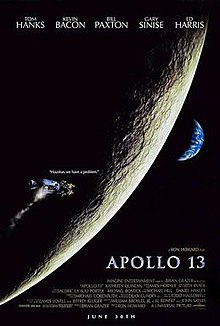
Apollo 13 (1995) - They invented "a way to put a square peg in a round hole, rapidly." "We need to make this (square thing) fit into the hole for this (round thing) using nothing but that." 'Nuff said. If you don't know what that means, throw a party and watch one of the best movies of the 1990's. And then sell your house because it would be easier than cleaning it.


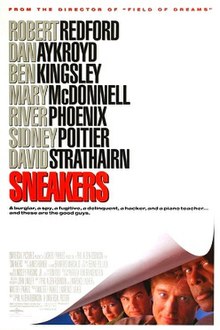
Sneakers (1992) - Good writing/directing and an AMAZING all-star cast. What could make this even better? How about some amazing hacking using old-school social attacks?  The theory of a key-to-end-all-keys is a bit out there but not 100% impossible. The best thing about this movie is that they use very little technology to break into a building overflowing with it. And it's the best River Phoenix movie out there. 


The Social Network (2010) - Not a bad movie, if you unplug the plot from reality for 90 minutes. The "Winklevi" portrayal by a single actor is amazing. What is more amazing, though, is Zuck's first "Facebook" hack where he collects information about coeds from various "Facebooks" of Boston-area colleges/universities. It is a VERY well-shot scene with explanations that actually make sense. Would love to hear a modern web developer poke holes in it, since I haven't coded in any of the platforms used in the hack (Python, AJAX, etc). Key point: what he did is completely possible and it was portrayed in a cool way.


Cloak & Dagger (1984) - A mid-80's kids movie? What could possibly be interesting in here from a geek perspective? How about hiding top-secret data in an Atari cartridge? And the only way to access it to play the game in a certain way. BRILLIANT! Yes, it's an 80's kid's movie so don't expect a lot of plot or character development.


The Girl with the DragonTattoo (2009) - Lisbeth (the main character) is a private investigator, of sorts. What does she investigate? People, using her computer. Or rather using their computer to investigate them with some awesome hacking using real tools and methods. 

And now, brace yourselves for...

The Worst


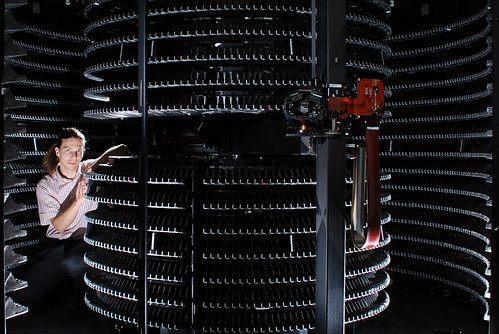
Clear and PresentDanger (1994) - I actually like this movie. I'm a big Tom Clancy fan and I was really into this movie right up until I heard the nameless CIA tech say, "OK, sweetheart, let's get to work!" Jack Ryan has just asked him to do something of questionable legality and high difficulty, so he starts talking to his computer. Now, I have no problem with nerds who talk to their computers. Shoot, I do it all the time using somewhat colorful metaphors. My problem with this movie, which almost makes this movie unwatchable for me to this day, is that he wasn't actually talking to a computer. He was talking to a StorageTek 9310 PowderHorn tape silo (you can clearly see the StorageTek logo on the robot arm).


I'm sorry, a tape library robot is not a computer, no matter how you talk to it. It does look a lot more impressive than a mainframe (most likely what a CIA tech would have used to pull off this hack in 1994) with its arm swinging around but it cannot calculate squat. What it can do is store upwards of 150,000 tapes and several hundred terrabytes of data. Yes, those were impressive numbers considering the average desktop computer had less than 1 gigabyte of disk space.


Jurassic Park (1993) - If we were talking about how computers were used to create the film this one would be near the top of the list. But we're talking about how they are portrayed in the film. Nedry's computer setup is interesting (even Samuel L. Jackson can't hack into it!) but it is easily figured out by a little girl with big eyes. The worst part? An 11-12 year old girl knows how to use a $50K SGI workstation? Not on your life. And apparently not on her life either.


WarGames (1983) - Yes, this movie is in the best and worst category. I'm that fickle. Why is this one the worst list? For all the cool stuff they did with computers there is one thing they did that still bothers me 30 years later. When he first connects to the WOPR, David Lightman hooks it up to a sound processor to have it interpret the text into words, pretty revolutionary for consumer tech in his day, but it doesn't stop there. From then on through the film the WOPR can talk to him, and in the EXACT same voice no matter which workstation he is using. In 1983. No. Way. Oh, and the launch codes are cracked 1 digit at a time.


Mission Impossible (1996) - I won't go into the weird portrayal of email or AOL screen names, or whatever it is that Tom Cruise uses to communicate with Job, I suspended my disbelief on that one. What cracks me up every time is the hanging-by-a-wire ballet scene in the computer vault. A super-secret, super-expensive CIA computer, connected to nothing, that is incredibly hard to access? What exactly does it do? The antithesis of user-friendly or even usefullness. Why have such a secure room for a computer that holds digital data that is no doubt available elsewhere? Ugg. I'll stop now on that one because the next one is worse...


Enemy of the State (1998) - Will Smith and Gene Hackman in an action thriller? What could possibly go wrong? How about Jack Black using infinite zoom and 3D rotation on a grainy surveillance camera? (skip to 2:06 in this video)


Yes, this is one of Jack Black's earlier film roles where he plays a tech geek hired to pursue Will Smith at all costs. Including stretching the reality of 1998 graphics software and audience intelligence levels. 


The Net (1995) - ID theft, corporate espionage, and public infrastructure in danger over the internet? Reality in 2013 but in 1995 it was a pipe-dream. If they had set the movie in the near-future (a la Minority Report) it would have made more sense. Instead they tried to twist 1995 technology to make it look like it could do incredible things that simply weren't possible. If they made that movie today people would probably just shrug their shoulders and say, "Meh. The NSA does that on a Tuesday."


Swordfish (2001) - This one is the absolute worst. I thought I was watching an action movie, not a laugh-out-loud comedy. There are just far too many situations that stretch their geek cred a little too far. The low point is near the beginning when John Travolta, soul patch and all, puts a gun to Hugh Jackman's head and asks him to hack in a DoD database protected with 128-bit encryption in 60 seconds while being, um... "distracted" and typing at what must be 300 WPM. Which invariably works. Because movies.

Honorable mentions from TV:

CSI: NY - "I'll create a GUI interface using Visual Basic to see if I can track an IP address." Wow. So much ignorance crammed into one sentence.


Numb3rs (2005-2010) - One of my favorite shows of the time but they constantly made me laugh any time they showed the inside of the FBI office. They put together quite the swanky FBI office in downtown LA with projected computer screens and great looking graphics but the prop computers sitting in telco racks are 15-year-old (at the time) 1990s-era Compaq servers. I have spent countless hours working on them, including the oft-represented Proliant 6500. If you look closely enough in some scenes the server had 1.6" 9GB drives. Those were smokin' systems in 1998. Now my phone has more storage and processing power. And none of them were ever powered on which would have made dialog in the near vicinity inaudible. 


NCIS - Arguably the highest rated show on TV right now but they still have their moments. Like having two people hacking on the same keyboard at the same time, where the hacker is hacking a single computer but the target cannot be isolated. How is the hack stopped? By the two 1D10Ts typing in the keyboard? No, by the main character unplugging the !@#$% computer. Brilliant.

And some parting thoughts...

I left out quite a few possible nominees on all categories to keep this concise. My wife complains that I am a little long-winded when it comes to things I am passionate about. I do not disagree. Neither does my son, apparently. 

When movie-makers or TV people use technology it doesn't take much to make it realistic. Just screen it for a geek or two, which are VERY easy to find, and your problem can be solved. Want to do some product placement with EMC to put one of their HUGE storage arrays in a key shot? Have it be in a datacenter where it belongs, not in the middle of a @#$% conference room where the 90 dB, 1400 CFM fans would make it nearly impossible to have a relaxed conversation. Use advisers who will properly vet how you portray technology, just as you would the military, planetary science, medicine, or any other scientific aspect of your film.

Then maybe my wife will stop elbowing me when I laugh at inopportune moments of impossible ridiculousness that is technology in movies.


Hold on a minute, what about ID4? How can you possibly not mention Jeff Goldbloom's magnum opus of hacking? Maybe because it isn't really that cool and definitely not totally impossible (i.e. it doesn't fit into either category above). His character was an EXPERT in communications. Who's to say he didn't figure out a way to connect via TCP/IP and upload a custom virus? The display graphics aside, for a moment, it could work…

Friday, October 11, 2013

How NOT to create a movie trailer

RE: An open letter to movie executives/staff

Subject: How NOT to create a movie trailer

I was watching Marvel's "Avengers" recently with my kids and was reminded again why I have a love/hate relationship with movie trailers. What reminded me? This...

Hulk Grabs Ironman, grabs hold of a building, and... no spoilers.

If you haven't seen the movie stop reading now and go watch it. Go ahead, I can wait. It was only one of the best reviewed and top money-making movies of 2012. That image comes at 1:54 in "Marvel's The Avengers Trailer 2 (Official)" on YouTube. Once you have seen the movie come back here and continue reading.

And now we continue...

Marvel has this weird habit of spoiling the penultimate scene from the movie in the trailer. Yes, it looks incredible. Yes, you spent 1/4 of your budget on the CGI for that scene alone. And, yes, you need to draw-in people with these fabulous shots, I get it!

How did this spoil the movie? Maybe my memory is just too good, I don't know... But, as I was watching the finale of the "Battle of New York" for the first time, I knew exactly how they would solve that little issue of Tony Stark falling toward the ground after "resolving" the invasion situation. Why? Because the trailer clearly shows Hulk catching Iron Man while stopping his momentum using a skyscraper.

Let me be clear: they used one of the most memorable, eye-popping scenes from the movie in the trailer, where it was just as memorable and eye popping.


Example #2: The Amazing Spider-Man Trailer 2

Spider-Man, hanging out with some electronics
At about 2:20, we see Spidey fall from the top of a building and catch himself while the top of the building falls all around him. Yes, it looks really cool and it is very memorable. THAT'S THE PROBLEM.

When the "disarm the weapon at the top of the skyscraper" scene came up in the movie we know exactly how Spidey is going to fall and whether or not he survives BECAUSE THEY ALREADY SHOWED US IN THE @#$%! TRAILER!

Have you ever read the book "Ender's Game"? If you haven't, don't watch the trailer for the movie. They give away one of the pivotal plot points in the movie right in the trailer.

OK, enough of the single-scene antics. This post is supposed to be about what a trailer is actually supposed to be. Should be simple, right? There's even a guide on eHow.com.

Where did the name movie trailer come from? According to Wikipedia, which is never wrong, they were originally called "trailers" because they "trailed" the end of the movie. The promotional shorts advertised an upcoming feature film and were designed to get people excited to come and see. Since people rarely stay after a big feature film (who wouldn't want to stay seated a few minutes longer after watching epics like "The Greatest Story Ever Told" or "Dr. Zhivago"?) so movie promoters moved them to run before the big feature. In today's theaters you can expect 12-20 minutes of trailers, depending on the theater company and the time of year. I think the longest I have seen is 25 minutes of trailers. It gets really bad in the early spring as the studios gear up for summer movies.

In the 70's the movie trailer was a simple structure: show the stars of the show, play a song from the movie, and maybe actually show some footage from the movie (some early trailers were a montage of scenes from other movies starring the actors). They were short and simple.

The 80's introduced us to the voice-over trailer and Dan LaFontaine, the most prolific and well-used voice in movie history. If you have seen any movie trailer in the last 30 years you have heard his voice. Don't recognize him? Try this on for size: In your mind, think of a movie trailer and say the words, "In a world where..." Was the voice in your mind a deep, gravely man's voice? That's Dan LaFontaine who voiced an impossible number of trailers. Unfortunately he died in 2008 but his body of work is tremendous.

Now we move on to today's movies. (I'm skipping the '90s and '00s because I'm lazy)

The formula for modern movie trailers is pretty standard...


Fast-cut scenes of action, silence/black with maybe some words, voice-over montage of key points in the movie, the villain reveal, and maybe a plot twist or two. Comedies, romances, and horror movies all have their own version of this theme but inside each genre the structure is remarkably similar.

So what makes a bad movie trailer? Here are my thoughts-
  1. Revealing key plot points in the movie. I've beaten this one to death but there are many others who have also illustrated this point
  2. Revealing the ending - There are several trailers released right now that out-and-out give away the movie's ending. For a remake of a famous movie, like Stephen King's Carrie, why not leave out the ending scenes for those young kids who don't know? Wouldn't it make a better movie if they found out the ending by watching the @#$!! movie? The funny thing is that the trailer for the original "Carrie" from the '70s gave away the ENTIRE plot right in the trailer. Pulled no punches. So I doubt the modern "Carrie" promoters thought twice about doing the exact same painful thing. 
  3. Revealing the villain and their intentions - Sometimes this is just as bad as #1. Sometimes discovering the villain is the entire point of the movie. (*cough* Unbreakable *cough*)
  4. Marketing the movie to be something it isn't. "Drive" was shown to be a "Fast and the Furious" wannabee, not a brooding drama with a little bit of driving thrown in. "Million Dollar Baby" wasn't really about boxing. "The American" wasn't actually a James Bond type of movie starring George Clooney even though it was a really good non-action movie.
Some movie trailers are better than the actual movie itself. Typically this happens because they take all the good stuff about the movie and cram it into a 3 minute trailer. This is a frequent occurrence for me. I can't count the number of times I saw a trailer for a movie, got excited to see it, and the movie was, in my ever-so-humble opinion, a dud. Like "Wreck-It-Ralph", "Wild Wild West" (that horrendous Will Smith movie), and Star Wars Ep. 1. Oh, and "Snakes on a Plane," the quintessential trailer-better-than-the-movie trailer.

Some people have taken this a bit too far and created amazing trailers for movies that don't even exist. I will get a good laugh if they come out with Ghandi II.

So what makes a good movie trailer?

Rule #1: Don't commit any of the infractions listed above. (Sorry, had to say it)
Rule #2: Show me just enough of the movie to make me want to go see it.
Rule #3: Give me the main idea of the movie but you don't have to tell me the EXACT plot.
Rule #4: LEAVE ME WANTING MORE. (most important)
Rule #5: Don't let Michael Bay make the trailer. He totally screwed up the trailer for The Island by giving us the entire plot in the first 30 seconds of the trailer. The movie-watching experience would have soooo much better with hearing Ewan McGregor give away the main plot point 1:17 into a 2:20 trailer.

With all this in mind, here are my "Best movie trailers of all time" as ranked by me.

Honorable mention: Spider Man. Not a bit of this trailer ended up in the movie. It is a bit hokey and has nothing to do with the actual movie but it did get people excited to see the movie. Unfortunately they went on to make several other trailers that violated just about all my rules for trailers.


#10 - Men In Black: The trailer does contain major plot points but doesn't give away to much of what's going to happen. The key thing they do is that you can't really tell just how much of a farce this movie turned out to be. It was only a few years post-ID4 (Will Smith's other alien movie) so we didn't know what to expect. I haven't seen my wife laugh that hard in a movie, except for maybe when we saw "Noises Off" for the first time.


#9 - Sin City: AMAZING trailer for a concept film that was way ahead of its time. Maybe someday I'll actually watch it.


#8 - 300: Once again, amazing visuals from a concept movie that pulled no punches with violence for the sake of violence. And you get the only quote that has actually been attributed to a Spartan in the movie (the part about fighting in the shade. Look it up).


#7 - Cloverfield: Just enough of a tease to make you want to see it. Unfortunately the movie was like an extended version of the trailer, although it was good in its own right. But the trailer was better.


#6 - The Matrix: "No one can be shown what the Matrix is." That tag line was EVERYWHERE in the summer of 1999. The trailer showed quite a bit of the movie but didn't give away the primary premise, which was so shocking at the time. I remember seeing it in the theater on opening night with some friends from work. During the big-reveal scene you could hear half the theater audibly gasp. My friend next to me said, "NO F-ing WAY!" (he actually said "F-ing", not the other word). This trailer lured you in, just as a trailer should. It even proved that you can show off big portions of the movie and not ruin the movie experience.


#5 - Transformers: This teaser trailer makes you wonder "what the heck did I just see?" The trailer really got the buzz going about one of the biggest movies of 2007. I won't comment on the quality of the movie but the trailer was amazing.


#4 - District 9: It starts out making you think it's a racial movie then shifts to something about aliens? No plot points, we don't even know who the major characters are going to be.


#3 - The Lion King: No, really. The original trailer that I remember seeing for the Lion King was the opening few minutes with the "Circle of Life" song, right up until the monkey-priest-guy holds up Simba for the crowd. That was epic. No plot points, no zany special effects, just awesomeness. Unfortunately I can't find that trailer online so you get this one, which is not nearly as good-


#2 - Star Wars VII. No, I mean "Austin Powers: The Spy Who Shagged Me." You see, that's the point: they toyed with the audience and played off the fact that Star Wars Ep. 1 was coming out the same summer. This was an AMAZING trailer to behold in the theaters.


#1 - Dirty Rotten Scoundrels: the ultimate teaser that shows nothing from the movie except the two main characters and a hint that they aren't exactly what they seem. None of this footage is from the movie, not even the voice-over.


So there you have it, film makers. Make good trailers and we'll all be happier together. I'd hate to swear off trailers completely.